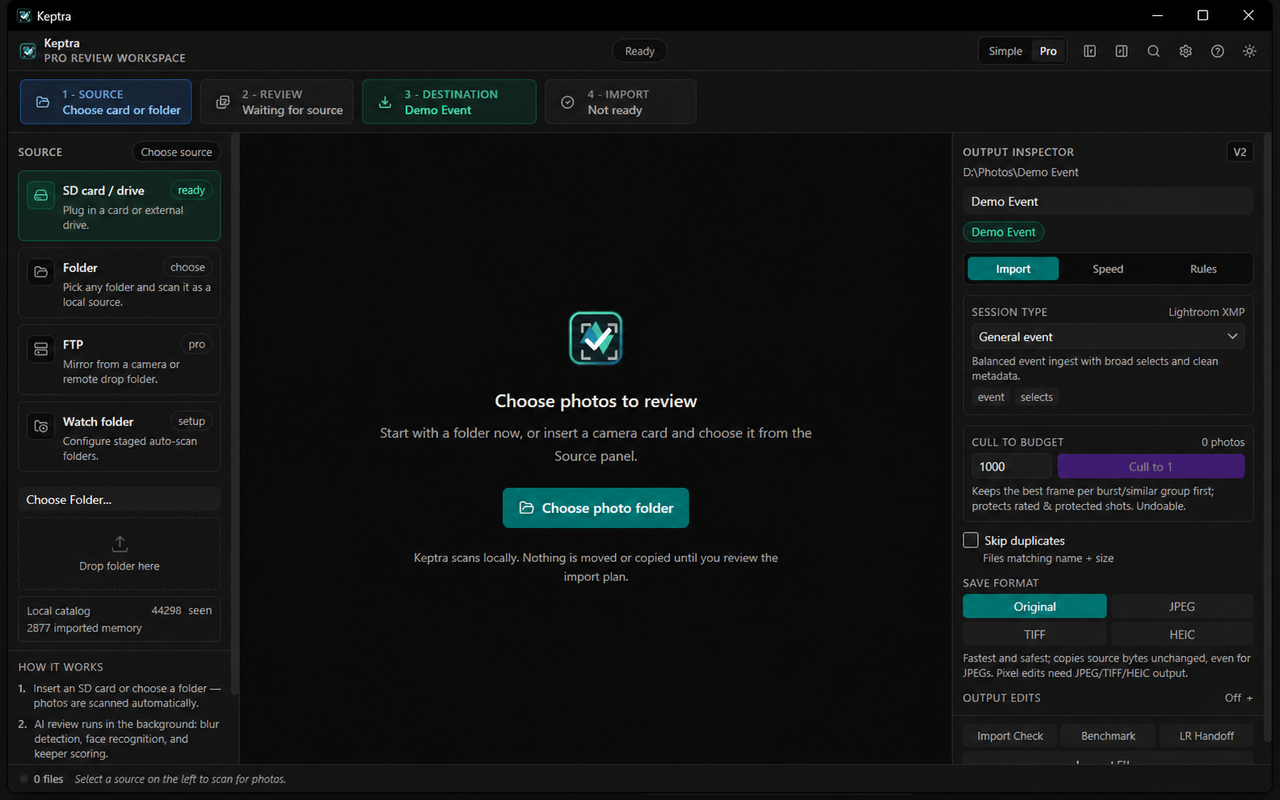
Current applicationOne route from source to reviewed, verified files.
Your photos stay on your computerPhoto review and analysis happen locally. Keptra does not upload your shoot to a culling cloud.
Originals stay untouched while you reviewPicks, rejects, ratings, and AI suggestions do not move or delete source files.
You approve the importPreview the plan, choose the destination, and decide which files are copied.
Three clear steps
From full card to a clean handoff.
The everyday workflow stays simple. Deeper automation and delivery controls are there when a job needs them.
Workflow demonstration · import progress
1
Import safely
Start from an SD card, external drive, folder, or FTP source. Check the exact plan before copying, then optionally verify the destination and create a second local copy.
Import Check before files move
Duplicate and destination-conflict handling
Optional checksum verification and backup destination
Workflow demonstration · Best-of comparison
2
Find the best
Keptra groups bursts and similar frames so you can compare fewer decisions. Local analysis can surface sharpness, faces, people, and eye-region detail as review signals—not as permission to delete a photo.
Burst and near-duplicate grouping
Side-by-side Best-of review
Conservative suggestions with visible reasons
Workflow demonstration · local review
3
Review and hand off
Use familiar picks, rejects, stars, filters, and keyboard navigation. Queue only what should leave the card, then open the destination or export Lightroom helper files and an import manifest.
P to pick, X to reject, 1–5 to rate
Second-pass lane for uncertain frames
Import report, manifest, and Lightroom handoff helpers
Product tour
See the complete workflow.
A short walkthrough from a connected card to reviewed files in their destination.
Choose a sourceUse a card, folder, drive, or configured FTP source.
Make the callsReview groups, mark keepers, and inspect risky frames.
Verify the resultCopy the approved set and keep an inspectable import record.
Built for real shoots
Useful when the deadline is closer than the edit.
Cards and folders first
Removable drives are detected, protected in-camera files are surfaced, and folder sources work the same way.
Fast keyboard review
Navigate, pick, reject, rate, compare, and undo without moving between separate applications.
Clean folder rules
Preview date-based or custom destination paths before committing an import.
Local photo analysis
Supported face, person, similarity, and quality signals run on the device; provider fallback is visible in diagnostics.
Recovery-aware import
A saved import ledger tracks completed, failed, and pending files so interrupted work can be retried.
No forced catalogue
Continue into your preferred folder workflow, or create helper artifacts for Lightroom Classic.
Pricing
Review free. Upgrade when you are ready to import.
The free tier is for browsing and manual culling. Pro unlocks verified import and the full workflow. Live prices are shown in AUD.